
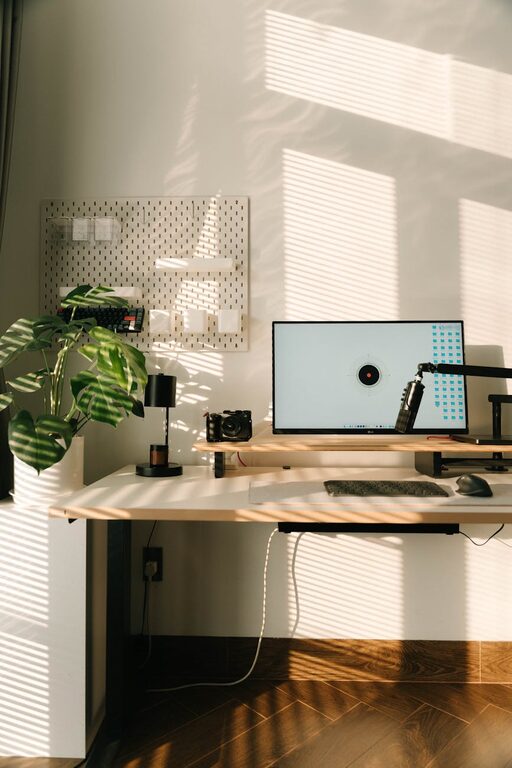
Creating a comfortable and inspiring workspace doesn’t always mean hours of deep cleaning or expensive makeovers. Sometimes, all it takes is a quick ten-minute refresh to bring new energy to your desk and help you focus better. Whether you work from home, in an office, or a shared environment, a tidy and inviting space can make a big difference.
In this post, we’ll explore simple and practical ways to refresh your workspace quickly. These easy steps are designed to fit into a short break, helping you reset your environment and your mindset.
Why Refresh Your Workspace?
Before diving into how, let’s understand why a workspace refresh matters:
– Improves focus: A clutter-free area reduces distractions.
– Boosts mood: Clean and organized surroundings feel more welcoming.
– Enhances productivity: A neat space helps streamline tasks.
– Increases creativity: A fresh setup can inspire new ideas.
Now, let’s get started on refreshing your workspace in just ten minutes!
Step 1: Clear the Surface (2 minutes)
Start by removing anything that doesn’t belong on your desk or workspace. Papers, coffee cups, pens, and gadgets can pile up without notice.
– Quickly gather loose items and sort them into keep, toss, or relocate piles.
– Throw away trash like old notes or empty wrappers.
– Put items you won’t immediately need away in drawers or shelves.
This simple clearing makes your desk instantly more inviting.
Step 2: Wipe It Down (2 minutes)
Dust and grime can accumulate quickly, affecting both the look and feel of your space.
– Use a damp microfiber cloth to wipe your desk surface.
– Clean your keyboard and mouse gently with disinfectant wipes.
– Don’t forget your monitor screen and any frequently touched surfaces like phone or desk lamp.
A clean surface not only looks good but contributes to a healthier workspace.
Step 3: Reorganize Essential Items (3 minutes)
Now, place back only the items you use daily to keep your workflow smooth.
– Arrange your computer, notebook, and essential tools neatly.
– Use desk organizers or small containers for pens, sticky notes, and chargers.
– Position frequently used items within easy reach to avoid clutter.
Keeping essentials accessible helps maintain a tidy workspace throughout the day.
Step 4: Add a Touch of Nature or Personal Flair (2 minutes)
Bringing in a little personality makes your workspace more enjoyable.
– Place a small plant or a vase with fresh flowers nearby to add life and color.
– Hang a favorite photo, quote, or artwork where it’s visible but not distracting.
– Use a colorful mouse pad or desk accessory to brighten the area.
These small additions can boost your spirits and creativity.
Step 5: Adjust Lighting and Ergonomics (1 minute)
Proper lighting and comfort can improve how you feel while working.
– Open blinds or curtains to let in natural light if possible.
– Adjust the position of your desk lamp to reduce glare.
– Make sure your chair and screen are positioned for good posture to avoid strain.
Even slight adjustments can enhance your overall work experience.
Bonus Tips: Maintain Your Workspace Daily
Refreshing your workspace is easier when you keep clutter from building up. Here are quick habits to try:
– Spend a few minutes at the end of each day tidying your desk.
– Put away papers and tools immediately after use.
– Keep a small bin nearby to toss trash regularly.
By incorporating these habits, your workspace stays inviting and ready for productive days.
Final Thoughts
A quick ten-minute workspace refresh can do wonders for your focus, mood, and productivity. By clearing clutter, cleaning surfaces, reorganizing essentials, adding personal touches, and adjusting lighting, you create a more comfortable environment to work in. Make it a regular part of your routine, and you’ll notice how much more enjoyable and efficient your workdays become.
Try these steps today and enjoy a fresh new start to every work session!
